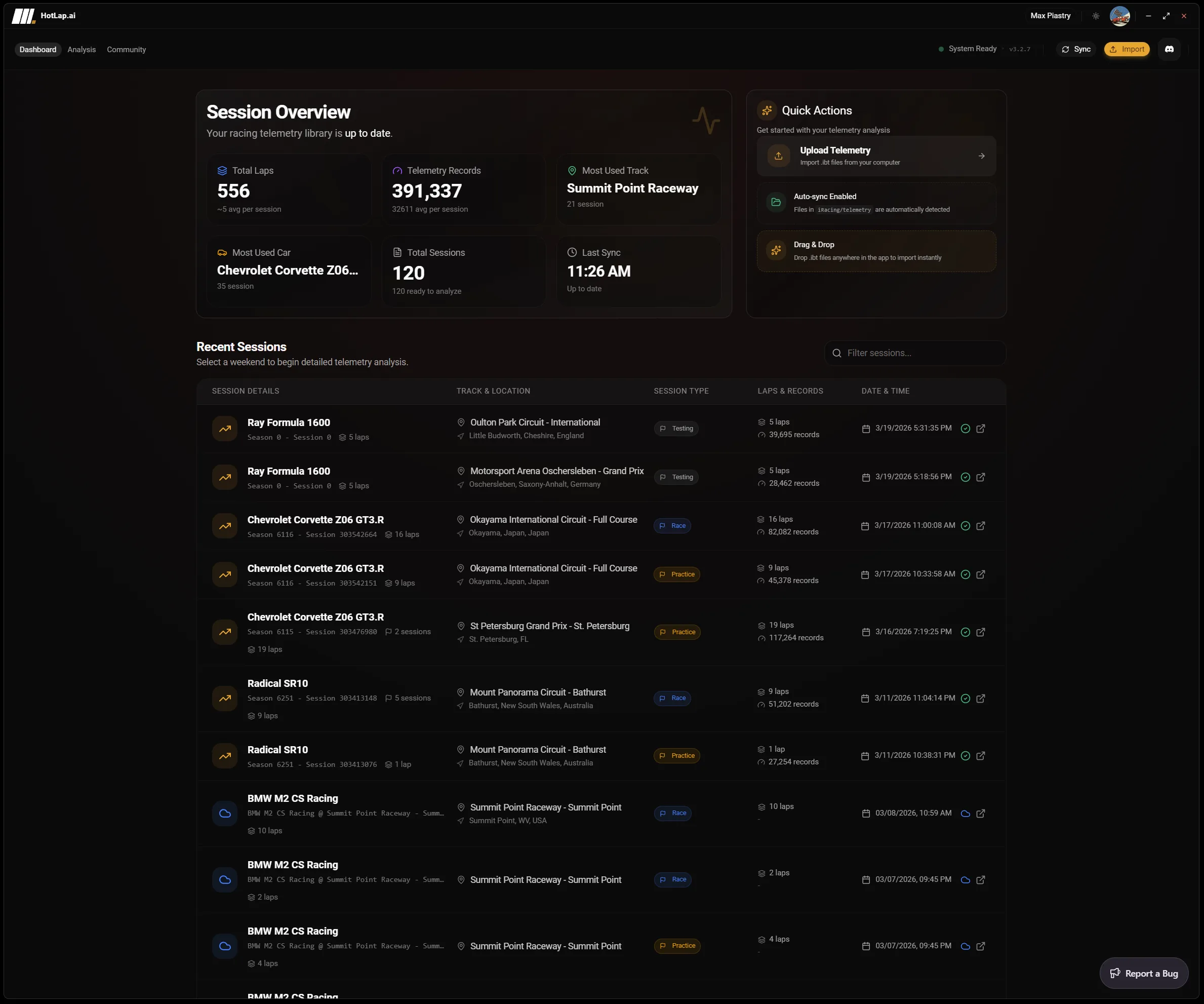
Local .ibt discovery
The desktop app watches the standard Documents/iRacing/telemetry location and builds a local library from discovered .ibt files. Session metadata helps organize laps by track, car, session, lap, and available telemetry channels.
Telemetry auto-sync
Hotlap.ai turns the messy part of telemetry review into a repeatable workflow. The desktop app scans your iRacing telemetry folder, groups sessions by car and track, detects duplicates, and queues uploads so your laps are ready for analysis without manual file sorting.

The desktop app watches the standard Documents/iRacing/telemetry location and builds a local library from discovered .ibt files. Session metadata helps organize laps by track, car, session, lap, and available telemetry channels.
Hotlap.ai hashes telemetry files before upload so repeat files can be detected instead of processed again. Sync jobs move through clear phases such as reading, hashing, checking, parsing, uploading, and complete.
Telemetry files can be large, so the sync flow is designed around a one-at-a-time queue and recovery states. If a local sync fails, the app can surface the failed item and continue from a controlled workflow instead of leaving the library in an unknown state.
A focused path from session data to the next change you can test on track.
Generate .ibt files during normal practice or race sessions. Hotlap.ai does not change how you drive the session; it starts from the telemetry iRacing already writes locally.
The app scans the telemetry folder and reads enough metadata to group files into useful sessions without forcing manual folder cleanup.
File hashing and server-side checks prevent repeated uploads from turning into duplicate analysis entries.
Once synced, laps become available for comparison, AI findings, track maps, community references, and browser review.
This page should not read like another lap-analysis page. It is the library and ingestion workflow: how telemetry gets from the simulator into a clean, searchable Hotlap.ai session list.
The user problem is not interpreting brake traces. The user problem is avoiding manual file handling, duplicate uploads, failed sync states, and the friction that prevents drivers from reviewing laps at all.
The desktop app is built around iRacing's local telemetry folder, usually Documents/iRacing/telemetry, and can organize discovered .ibt files into sessions for review.
Yes. Auto-sync is designed to reduce file handling, but Hotlap.ai also supports manual telemetry import for drivers who want direct control over a specific file.
Use Hotlap.ai to compare the lap, understand the inputs, and leave review with one clear thing to try next.